Quick Tip: Adobe Developer App Builder is Adobe’s platform for running your custom Adobe Commerce logic outside the Commerce codebase. Instead of adding a PHP module, plugin, or observer, you build an app that talks to Commerce through APIs, events, and webhooks. For new work, Adobe recommends starting there.
Introduction
If you’ve built Magento extensions for years, your instinct for custom logic is probably a module with a plugin or an observer. Adobe Developer App Builder for Adobe Commerce offers a different model: your code lives in a separate app, hosted on Adobe’s serverless runtime, and connects to Commerce from the outside. This quick intro covers what it is, how it maps to what you already know, and when to reach for it.
What App Builder Actually Is
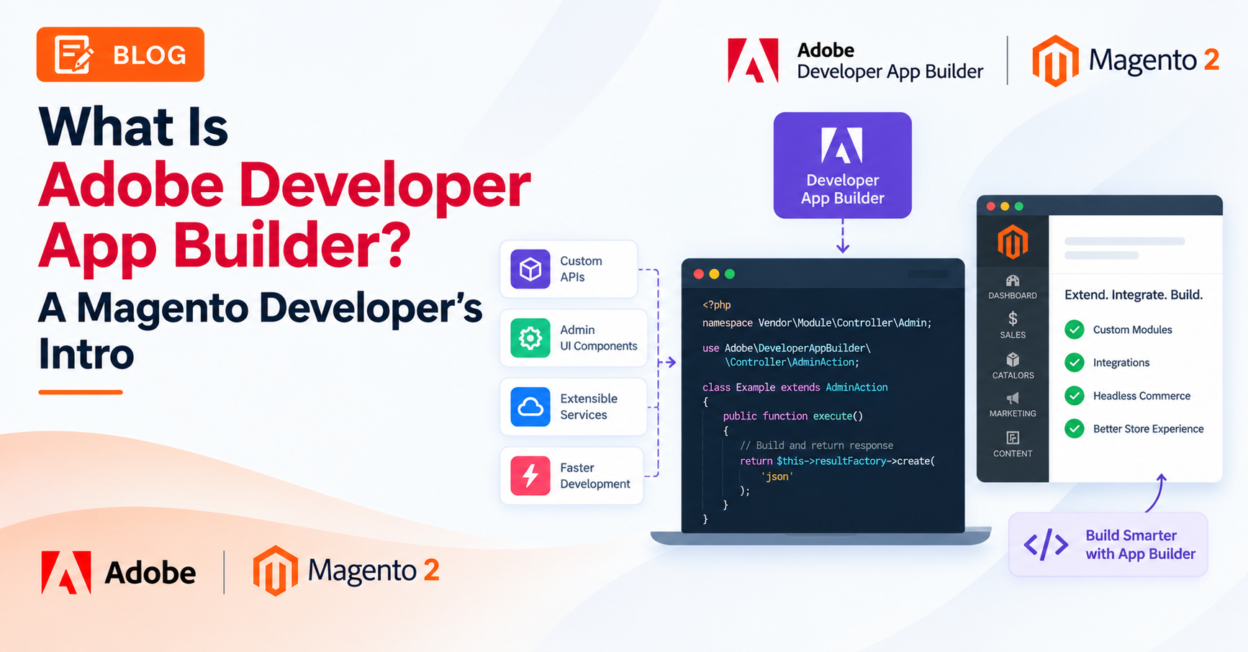
Adobe describes its out-of-process extensibility model as custom business logic, integrations, and user experiences that run outside the Commerce application process. They communicate with Commerce through supported APIs, events, webhooks, and extension points instead of PHP added to the Commerce codebase.
The main pieces:
- App Builder: the platform for building secure, scalable Commerce applications.
- I/O Runtime: hosts the serverless actions that execute your custom logic.
- Commerce APIs, events, and webhooks: connect your app to Commerce data and behavior.
- Commerce SDKs and libraries: reusable patterns for authentication, configuration, and event handling, including the Admin UI SDK and OOPE modules.
- App Management: the lifecycle layer for associating, configuring, installing, updating, and removing Commerce apps.
How It Compares to What You Already Know
| In-process (classic Magento) | Out-of-process (App Builder) | |
|---|---|---|
| Where code runs | Inside the Commerce application process | Outside Commerce, on App Builder and its supporting services |
| How it connects | PHP extension points and runtime services | APIs, events, webhooks, SDKs, supported extension points |
| Upgrades | Custom code must stay compatible with Commerce and its runtime | Custom logic is decoupled from the Commerce codebase |
| Resources | Shares Commerce application resources | Scales and processes independently |
| Best at | Deep, synchronous control of the Commerce runtime | Upgrade safety, isolation, independent delivery |
Adobe’s guidance is that the two are different lifecycle and operating models, not interchangeable implementation details.
A Typical Use Case
Adobe’s own example is exporting orders to an external order management system (OMS). You configure Commerce to fire a webhook or event when a customer places an order, and an App Builder app receives it, maps the order fields to the OMS format, and sends them on through the OMS’s API. The app also handles errors, rate limits, and retries, all without adding load to the Commerce application.
Other good candidates, according to Adobe:
- Integrations with third-party services such as CRM and marketing automation
- Resource-heavy work such as data analysis or image processing
- Microservices for specific functions such as search or product recommendations
When Not to Go Out-of-Process
App Builder isn’t a full replacement for in-process code. Adobe lists two things you shouldn’t build out-of-process:
- Creating new blocks and components for native Adobe Commerce (Luma, Base) templates
- Modifying existing objects, such as customers, orders, and products
There’s also a hybrid model. If your app needs data that Commerce’s default GraphQL or REST APIs don’t expose, you can pair the app with a small in-process extension on the Commerce side that modifies the API response. Adobe suggests hybrid for integrations where API coverage isn’t sufficient but the data is required.
Where to Start
- Read the extensibility overview to understand the in-process, out-of-process, and hybrid options.
- Follow the App Builder Getting Started guide, which covers setting up your development environment, creating your first app, and publishing it.
- Build on App Management for the app lifecycle. If you want a head start, Adobe offers starter kits for common scenarios, such as building an integration or customizing checkout. Adobe describes them as accelerators, not a separate lifecycle system.
Related Reading
- Official reference: Adobe’s Commerce extensibility overview is the best starting point for App Builder, App Management, events, webhooks, and starter kits.
Conclusion
App Builder won’t replace every plugin or observer you write, but for integrations, heavy processing, and new standalone features it gives you an upgrade-friendly alternative to touching the Commerce codebase. Start with one small integration, such as an order export or a webhook handler, and you’ll see quickly where the out-of-process model fits your projects.